
MagVin Lab v1: The Interface Ceiling
The Lab opened with Docker, PostgreSQL, and a six-tab Streamlit interface designed as a real-time command center. The infrastructure was solid, but Streamlit's full-page refresh model could not handle live telemetry without constant flickering. The framework had to go; the stack carried forward.
MAGVIN LAB
Lance
11/25/20254 min read
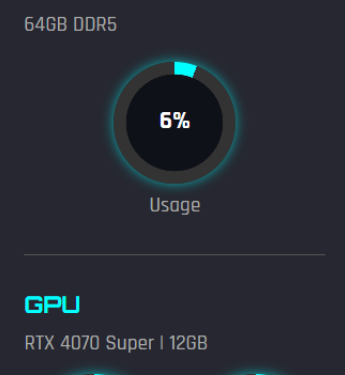
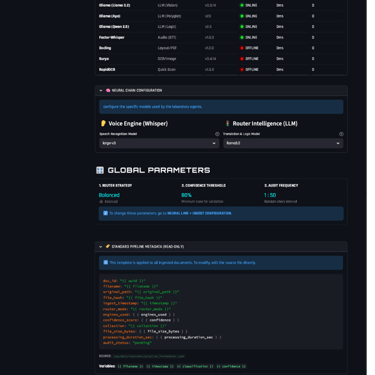
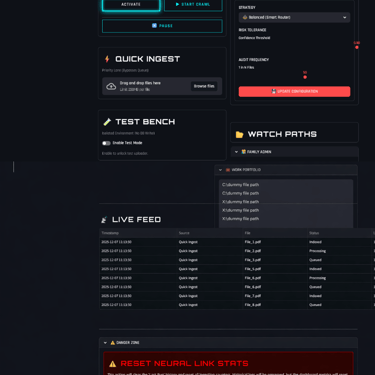
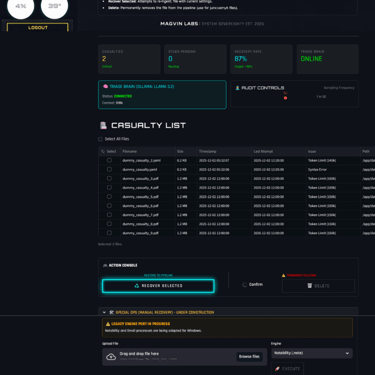
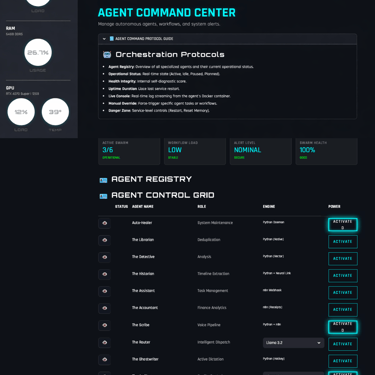
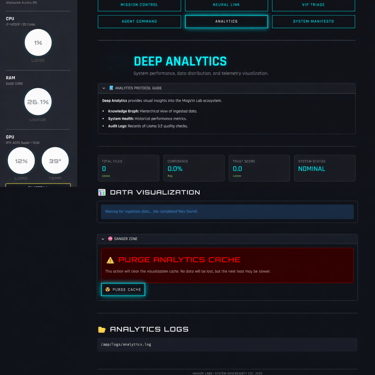
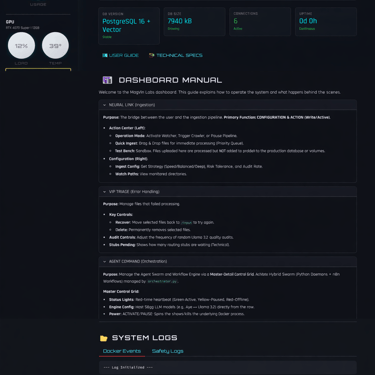
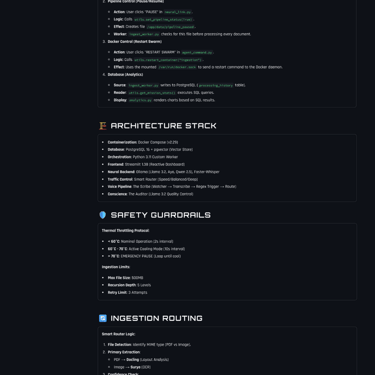
Screenshots from MagVin Lab v1
Context
The Desk had closed, and the Lab was open.
Version 5 of MagVin Desk ended with a deliberate choice: step back from commercial ambitions and return the project to its original purpose. The market research had done its job; the Gemini File Search release had validated the space without requiring me to fill it; and the architectural thinking from months of planning was ready to deploy for personal use rather than for product development. I was building for myself again, and that clarity felt like a reset.
The Lab began with momentum. Docker replaced the virtual environments that had caused dependency chaos in earlier versions. PostgreSQL with pgvector handled both structured data and vector embeddings in a single database. Ollama served local models without cloud dependencies. The sovereignty mandate from V5 carried forward intact: everything runs locally, nothing phones home, and I control my data end-to-end.
I also had something the Desk versions lacked: a clear interface philosophy. The system needed a command centre, a visual surface that could display hardware telemetry, agent status, ingestion progress and system health in real time. I wanted to watch the machine work. Streamlit seemed like the obvious choice for building that interface quickly, and I started assembling what would become my Alienware Cockpit.
What I Built
The infrastructure came together faster than any previous version.
I knew exactly what I needed, and Docker Compose orchestrated the following components:
PostgreSQL 16 with pgvector enabled for structured data and vector embeddings
Ollama serving Llama 3.2 and Qwen 2.5 for local inference
Faster-Whisper for high-fidelity transcription
A Python orchestrator managing connections between components
The containerised approach meant I could tear down and rebuild the environment without polluting my host system, and dependency conflicts that had plagued earlier versions simply stopped happening. The database held both processing history and vector embeddings, eliminating the scattered files and folders that V4 had accumulated.
The interface grew into six distinct tabs, each designed around a specific function:
Mission Control: The hardware HUD, displaying live CPU, RAM and GPU telemetry through circular gauges that updated every two seconds.
Neural Link: Ingestion configuration and pipeline controls.
VIP Triage: Failed file management and recovery workflows.
Agent Command: The roster of specialised agents I had defined (The Scribe for transcription, The Router for intelligent dispatch, The Auditor for quality control, and seven others waiting to be wired into the system).
Analytics: Processing pattern visualisation (planned).
System Manifesto: Architecture documentation, wiring diagrams, safety protocols and the development roadmap.
The Thermal Governor protected the hardware throughout. When the GPU temperature remained below 60°C, the system ran at full speed with a 2-second polling interval. Between 60°C and 70°C, it shifted to cooling mode at 10-second intervals to reduce load. Above 70°C triggered an emergency pause that remained in effect until temperatures dropped. The RTX 4070 never overheated, and I never lost work to thermal throttling.
The Smart Content Router evolved from the content-routing logic I first built in MagVin Desk V2, which elegantly solved a simple problem: the fastest OCR is the one you never have to run. In Lab v1, the router expanded to offer three processing modes:
Speed: Quick scans using RapidOCR alone
Balanced: Standard processing with Docling and Surya (finally stable in Docker)
Deep: Maximum verification using Llama 3.2 Vision
The routing logic was functional and configurable directly from the interface.
I also wired n8n into the stack and connected a simple Ping agent to verify the integration. The connection held, and the foundation for workflow automation was in place, even if the agents themselves remained definitions rather than implementations.
What Worked
The stack proved sound.
Docker eliminated the dependency chaos that had undermined previous versions, and the containerised architecture meant every component could be updated, replaced or rebuilt independently. PostgreSQL handled both relational data and vector storage without the awkward file-and-folder structures I had tolerated before. Ollama served models reliably, and the local-first sovereignty mandate held: no cloud APIs touched the core processing pipeline.
The interface rendered beautifully. The Alienware Cockpit aesthetic (Orbitron headers, Rajdhani body text, neon cyan accents on a dark background) created exactly the command centre atmosphere I had envisioned. It surfaced the back-end stack in a clean front-end UI. Every tab loaded, every gauge displayed, and the visual identity felt professional rather than experimental.
The Thermal Governor and Smart Content Router both functioned as designed. Hardware protection worked, routing logic worked, and the ingestion pipeline processed files when I fed them manually. The bones of the Lab were solid.
What Broke
The interface hit a framework ceiling.
Streamlit renders pages by rerunning the entire script whenever the state changes, and that architectural choice directly conflicted with my requirement for live telemetry. Every time the hardware gauges updated or a log line appeared, the entire page refreshed. The result was uncontrollable flickering that made the dashboard unusable under real-time load.
I noticed the problem after changes to the Hardware HUD introduced instability. When I re-wired the telemetry after rolling back to a previous Git commit, the flickering became constant. The gauges updated correctly, but the framework could not handle high-frequency refreshes without full-page reloads. Streamlit was designed for data apps and dashboards that update in response to user interaction, not for control panels that stream telemetry continuously.
The flickering was not a bug I could patch. It was inherent to how the framework operated, and no amount of optimisation would change that fundamental mismatch. I could have removed the live telemetry to stabilise the interface, but that would have meant abandoning the command centre experience that justified the interface in the first place. The gauges and live logs were not optional; they were the point.
The Lesson
The stack was sound. But the interface hit a technical ceiling, so the framework had to be deprecated.
Streamlit could not do what I needed, and recognising that ceiling meant accepting that the interface required a complete rebuild rather than incremental fixes. The underlying infrastructure (Docker, PostgreSQL, Ollama, the agent definitions, the routing logic, the thermal protection) was carried forward intact. The failure was specific: Streamlit was the wrong framework for a real-time interface.
The agents I had defined remained in the manifest, waiting for an interface that could support them. I committed the Alienware Cockpit aesthetic to Git so it could be migrated to whatever replaces Streamlit. The sovereignty philosophy, the safety protocols, the containerised architecture: all of it survived.
Version 1 of the Lab ended as a complete experiment rather than an incomplete system. It validated the infrastructure, exposed a framework limitation, and clearly pointed to what the next version needed to address.
What Came Next
The pivot to NiceGUI began immediately.
NiceGUI uses WebSockets to push updates to the browser without full-page reloads, which meant the live telemetry I required could finally work as intended. The same cockpit, the same gauges, the same agent roster: all of it would rebuild on a framework designed for real-time interfaces.
That rebuild became a relatively brief experience developing MagVin Lab v2.
Phone +1-509-931-1685
© 2026. All rights reserved.
Email info@magvinlabs.com
Address 522 West Riverside Avenue
Spokane, WA 99201
Find MagVin on LinkedIn
MagVin Labs